OBD2 Scanner Guide: How to Read and Clear Codes Yourself
If your check engine light just came on, you’re probably wondering does Valvoline read engine codes? Yes—most Valvoline Instant Oil Change locations will plug in a basic OBD2 scanner and tell you the code for free. But they won’t clear it or diagnose the underlying problem. The counter‑intuitive truth: that free code read is just a starting point. A code like P0420 (catalyst efficiency) could be a failing catalytic converter, a bad oxygen sensor, or even a small exhaust leak. Relying on a single read without understanding the code’s context can lead to wasted money on the wrong repair. This guide shows you how to read codes yourself, interpret what they mean, and clear them safely—so you can make smarter decisions before visiting a mechanic.
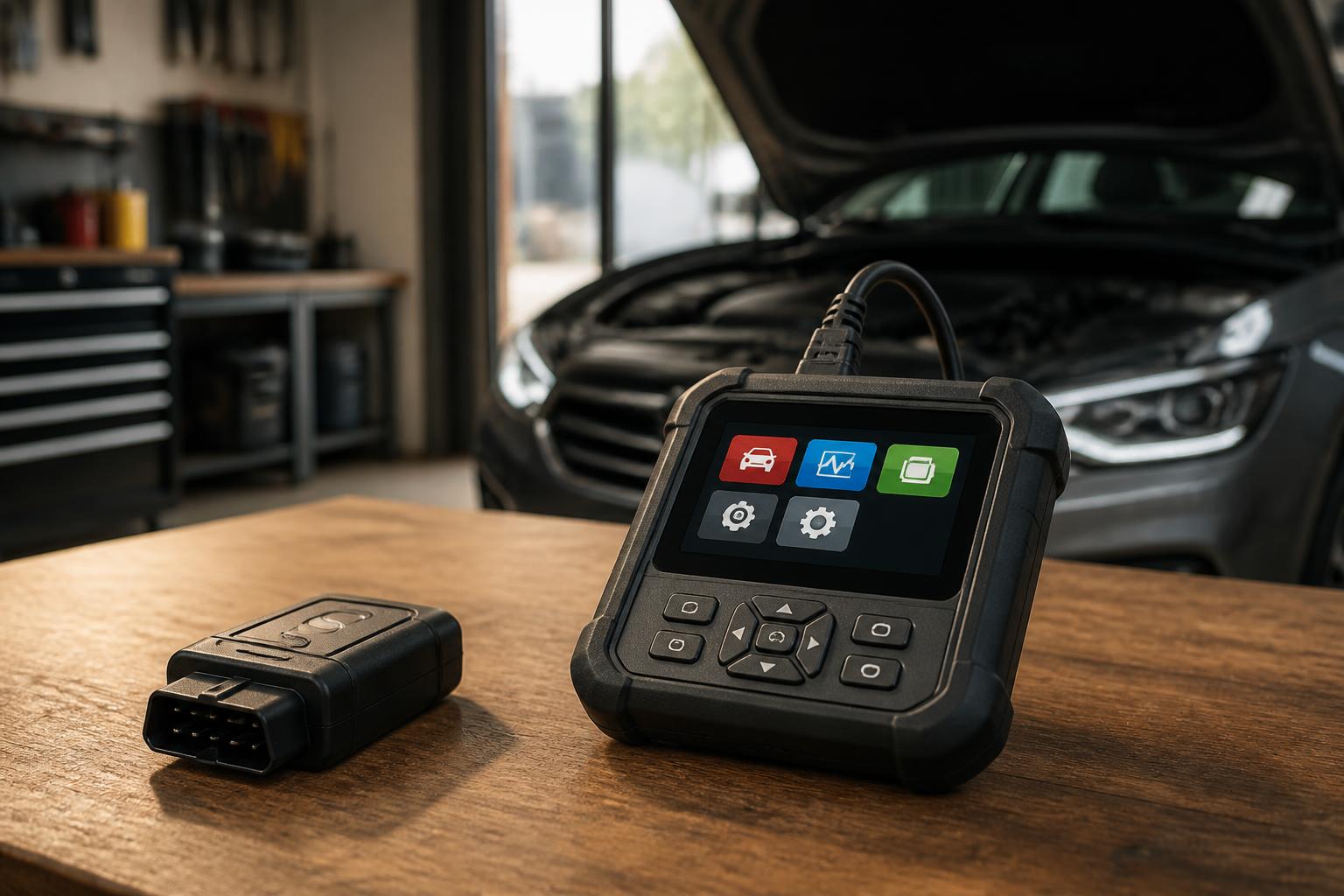
What’s the Difference Between Cheap and Expensive OBD2 Scanners?
The OBD2 scanner you use affects how much useful information you get. Here’s what separates a $20 tool from a $200 one—and when it’s worth spending more.
Cheap Scanners ($15–$50)
Capabilities: Read and clear generic powertrain codes (P0xxx). No live data stream, no freeze‑frame data, no manufacturer‑specific codes. Reliability: Basic units from major brands (e.g., Innova, Actron) work fine for occasional use. No‑name $15 scanners on Amazon often have poor connectors or outdated firmware—stay away. Best for: One‑time code reads, checking if a code returns after clearing, or for simple issues like a loose gas cap.
Mid‑Range Scanners ($60–$150)
Capabilities: Read manufacturer‑specific codes (P1xxx, Uxxxx), live sensor data, freeze‑frame data, readiness monitors. Some include a small display with code definitions. Reliability: Brands like BlueDriver (Bluetooth) or Innova 3100 provide real‑world usefulness for DIYers. The BlueDriver app includes repair reports with estimated repair costs. Best for: Frequent DIYers who want to see oxygen sensor voltage, misfire counts, or fuel trim data.
Professional‑Grade Scanners ($200+)
Capabilities: Bi‑directional control (e.g., activate solenoids), ABS and airbag codes, module reflashing, advanced live graphing. Reliability: Tools like Autel or Snap‑on are built for shops. Best for: Serious home mechanics or enthusiasts working on multiple vehicles.
Key takeaway: For most car owners, a $60–$100 scanner covers 90% of needs. A cheap scanner can be reliable if it’s from a known brand—just don’t trust the clearance‑sale no‑name model.
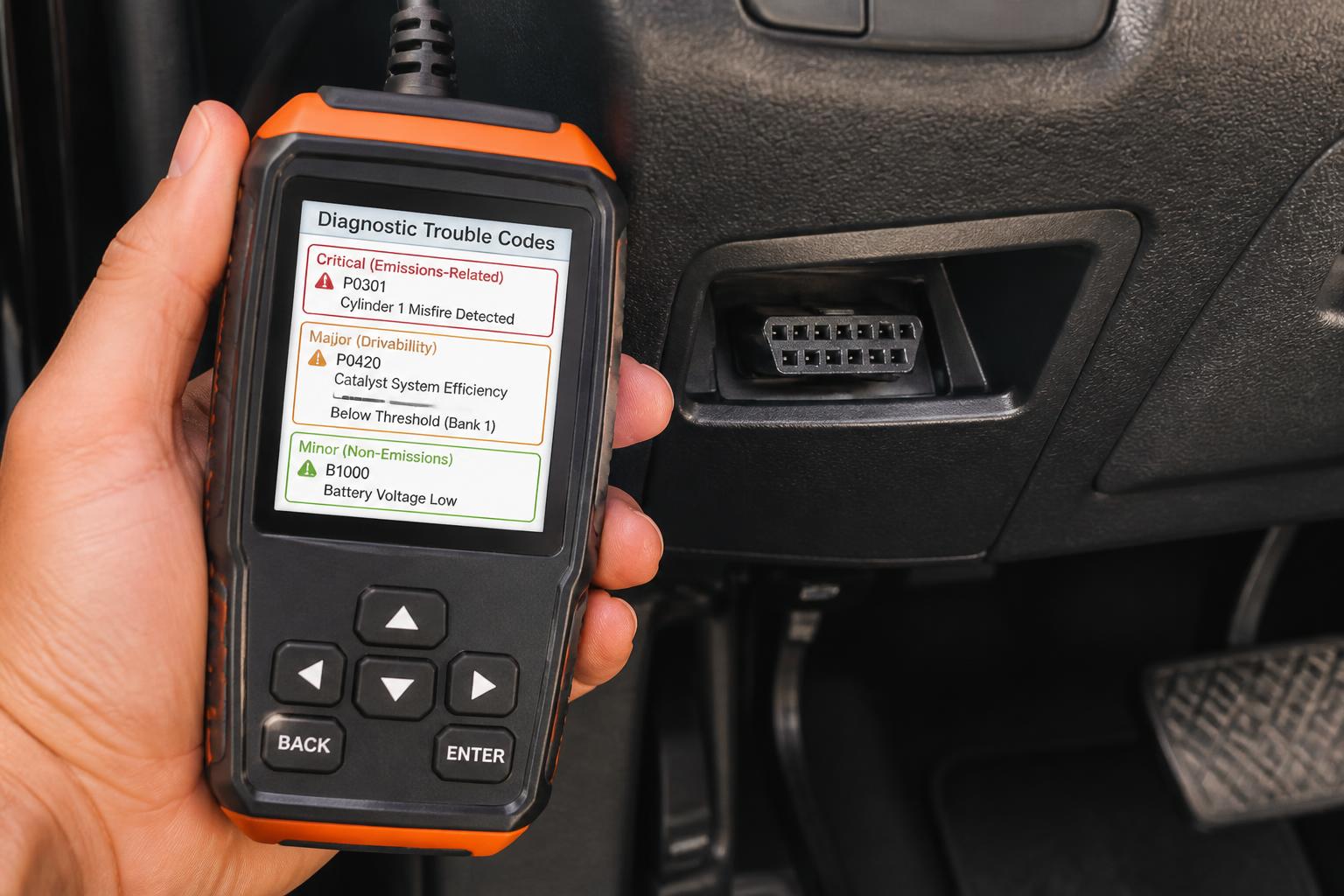
Which OBD2 Codes Should You Worry About?
Not all codes are emergencies. Here’s how to sort the serious from the “fix it when you have time.”
Most Common OBD2 Codes (and What They Actually Mean)
| Code | Description | Typical Cause | Severity |
|---|---|---|---|
| P0420 | Catalyst System Efficiency Below Threshold | Failing catalytic converter, bad O₂ sensor, exhaust leak | Moderate – driveable but will affect emissions |
| P0300 | Random/Multiple Cylinder Misfire | Spark plugs, ignition coils, vacuum leak, fuel issue | High – can damage catalytic converter |
| P0171 | System Too Lean (Bank 1) | Vacuum leak, dirty MAF sensor, fuel pump issue | Moderate – can cause stalling |
| P0174 | System Too Lean (Bank 2) | Same as P0171 on opposite cylinder bank | Moderate |
| P0442 | Evaporative Emission System Small Leak | Loose gas cap, cracked EVAP hose | Low – usually not urgent but will trigger CEL |
| P0455 | Evaporative Emission System Large Leak | Missing gas cap, broken vent hose | Low |
| P0135 | O₂ Sensor Heater Circuit Malfunction (Bank 1, Sensor 1) | Bad O₂ sensor, blown fuse, wiring issue | Low to moderate – can affect fuel trim |
Codes That Demand Immediate Attention
P0300–P0308 (misfires) – if the car is running rough, pull over to prevent catalytic converter damage. P0335/P0336 (crankshaft position sensor) – engine may stall suddenly. P0562 (system voltage low) – alternator failure – get towed. P0700 (transmission control module request) – transmission problem – have it towed to a shop.
Codes You Can Usually Clear and Drive After Fixing
P0442/P0455 (EVAP leak) – tighten the gas cap, clear the code, and see if it returns. P0420 – not a breakdown emergency, but ignoring it will eventually cost you a catalytic converter. P0135 (O₂ sensor heater) – driveable, but monitor fuel economy.
Real‑world example: A 2012 Toyota Camry threw P0420. The owner replaced the O₂ sensor (cost $150) and the code came back. The real issue was a small exhaust leak at the flex joint. Reading live O₂ sensor data with a mid‑range scanner would have shown the leak pattern.
How to Read and Clear Codes Yourself: Step‑by‑Step
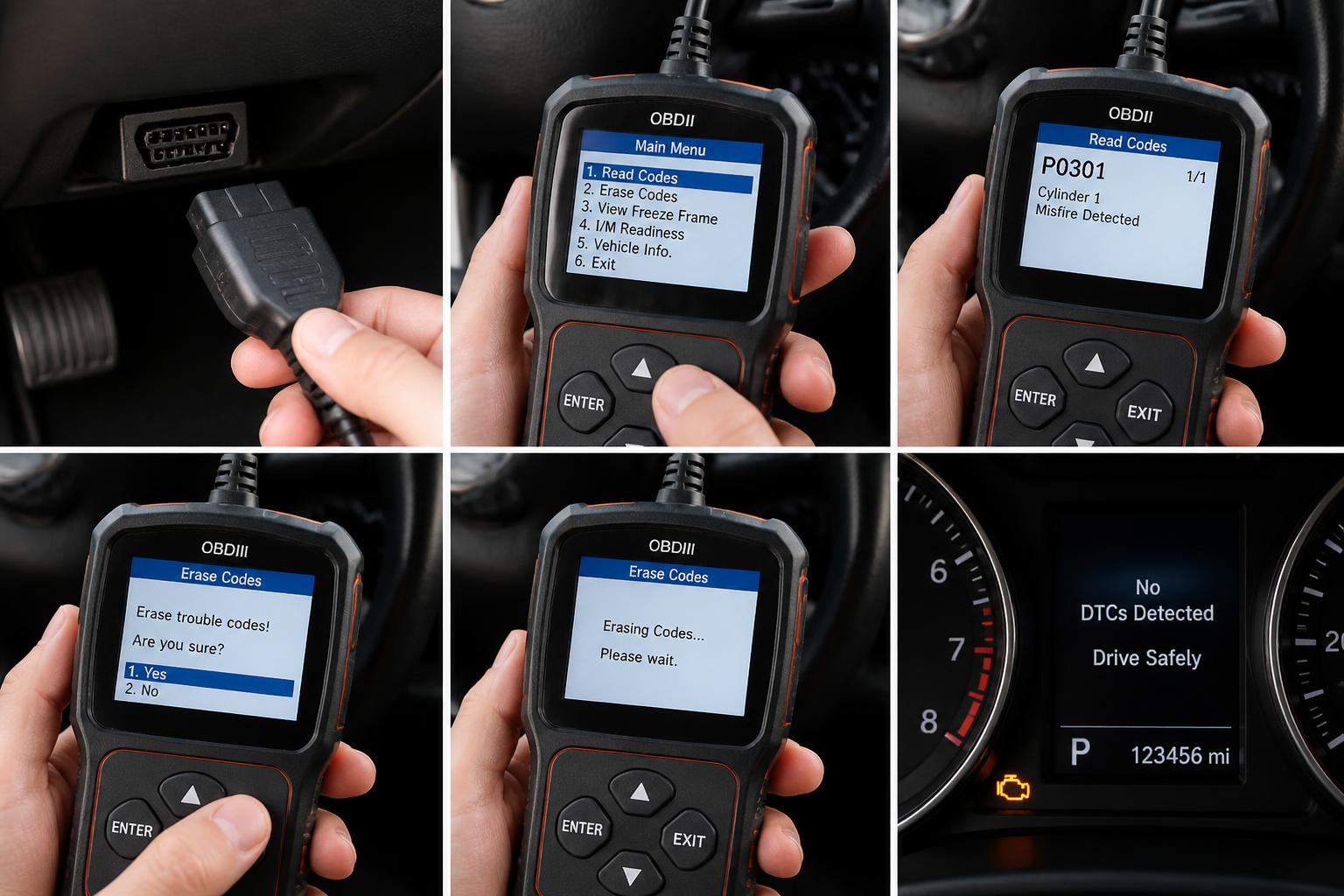
You don’t need a shop to pull codes. Follow this operator flow to get the information you need.
Preparation
1. Locate the OBD2 port – under the dashboard, driver’s side, usually near the hood release or fuse panel.
2. Turn the ignition to ON (engine off). No need to start the engine unless the scanner requires it.
3. Plug in the scanner – it will power on automatically.
Reading Codes
Press READ or follow the scanner’s menu. Write down all codes that appear. Do not clear them yet. Note the freeze‑frame data if available (engine RPM, coolant temp, fuel trim at the moment the code set). This is gold for diagnosis.
Interpreting the Code – Your First Fork
What you do next depends on the code you see. Here’s how the path splits:
- If the code is P0300–P0308 (misfire) and the engine is shaking or stalling: Do not drive the car. A persistent misfire can overheat the catalytic converter within minutes. Stop the engine, check for obvious issues like a loose spark plug wire, and call a tow if needed.
- If the code is P0420, P0171, P0442, or another non‑emergency code: You can safely drive to a parts store for a free read, or work through the diagnosis at home. The immediate risk is low, but ignoring P0420 for months will damage the converter.
After interpreting, look up the code’s common cause list – don’t just read the description. For example, P0171 (lean) often points to a vacuum leak before a bad MAF sensor. If you have a live-data scanner, check fuel trim numbers: positive long‑term fuel trim above 15% strongly suggests a vacuum leak.
Clearing the Code (Only After You Understand It)
Do not clear a code as a “fix.” If you just clear it, the light may come back after a few drive cycles. Clear only when: you have made a repair, or you want to see if a minor issue (loose gas cap) is truly fixed. Press ERASE or CLEAR on the scanner. Turn the ignition off, wait 10 seconds, then restart the car. The check engine light should be off.
After Clearing: The Success Check
Drive the car through a normal drive cycle (city and highway) for about 20–30 miles. If the light stays off, the issue is likely resolved.
Concrete verification: After the drive, re‑scan the system. If the scanner shows no codes and no pending codes, the repair is successful. If the same code returns, the repair wasn’t the root cause. If a different code appears, you may have uncovered a secondary problem.
Escalation signal: If the check engine light comes back on within 10 miles, stop driving and re‑diagnose. The original fault is still present, and continuing to drive could cause further damage (especially with misfire or lean codes).
Common OBD2 Scanner Problems (and How to Fix Them)
| Problem | Likely Cause | Fix |
|---|---|---|
| Scanner won’t power on | Blown fuse in scanner’s OBD2 plug (rare), or port has no power | Check vehicle fuse #15 (OBD2) in the interior fuse box; try another vehicle |
| “Link Error” or “No Communication” | Key not in ON position, or vehicle uses a non‑OBD2 protocol (older than 1996) | Turn key to ON; some 1995‑96 cars need a different adapter |
| Code won’t clear | Underlying fault still present; scanner may lack erase capability | Fix the root cause first; try a different scanner if unsure |
| Pending codes appear but no CEL | The condition occurred once but hasn’t met the drive cycle criterion | Drive a few more cycles; if it persists, the light will turn on |
Real‑world fix for “No Communication”: If your scanner doesn’t connect on one car but works on another, the problem is almost certainly the vehicle side. Check the OBD2 port for bent pins or blown fuse #15. On some Honda and Toyota models, a cigarette lighter fuse also powers the port – verify that fuse too.
Should You Pay for a Shop to Read Codes?
Free code reads from Valvoline, AutoZone, O’Reilly, and Advance Auto Parts are fine for a quick peek. But they come with limitations:
- The store employee can read the code and may suggest a part (e.g., “you need an O₂ sensor”).
- They will not clear the code without a repair.
- They usually won’t show you freeze‑frame data or manufacturer‑specific codes.
- The advice is generic—they aren’t mechanics.
Trade‑off: A free read takes 5 minutes. A $60 scanner you own lets you read codes anytime, view live data, and clear codes after repairs. If you plan to keep the car for more than a year, buying your own scanner pays for itself after two or three uses.
Decision Aid: Before You Clear a Code, Check These
Use this quick set of pass/fail checks before erasing any code. Each item is a clear go/no‑go decision.
1. Did you write down the code number and freeze‑frame data?
Pass = you have a record to reference later. Fail = write it down now.
2. Have you looked up the code’s common causes (not just the description)?
Pass = you know the top three likely failures (e.g., P0171 often means vacuum leak, not MAF). Fail = search online before clearing.
3. Is the car running safely (no misfire, no overheating, no transmission slipping)?
Pass = okay to drive. Fail = do not clear; address the hazard first.
4. Have you visually inspected the obvious parts (gas cap, vacuum hoses, spark plug wires)?
Pass = you checked the quick wins that often solve P0442 or P0300. Fail = spend 5 minutes under the hood.
5. Do you have a plan for what to do if the code returns?
Pass = you know the next diagnostic step or have a mechanic appointment set. Fail = don’t clear yet; you need a follow‑up plan.
Run through all five checks. If you pass every one, you can clear the code and begin the drive‑cycle test. If any item fails, stop and address it first.
Explore This Topic
- Back to Obd2 Code Reader
- Back to Automotive Repair
Related guides in this cluster:
- Check Engine Light: Most Common Causes and What to Do First
- Exhaust Smoke Color: White, Blue, Black — Diagnosis Guide
- Transmission Slipping and Shifting Problems: Diagnosis Guide

Greedy Wheels is the founder and lead editor at Wheels Greed. With over 15 years of hands-on automotive experience — from rebuilding engines in a home garage to managing fleet maintenance for a regional logistics company — he brings real-world mechanical knowledge to every guide.
His work has been featured in automotive forums, owner communities, and dealership training materials. When he’s not researching the latest car owner questions, you’ll find him at a local track day, wrenching on his project car, or testing the newest OBD2 diagnostic tools.
At Wheels Greed, every article is reviewed against manufacturer service manuals, NHTSA bulletins, and verified owner reports. No AI-generated fluff. No guesswork. Just practical answers from someone who has turned the wrench.