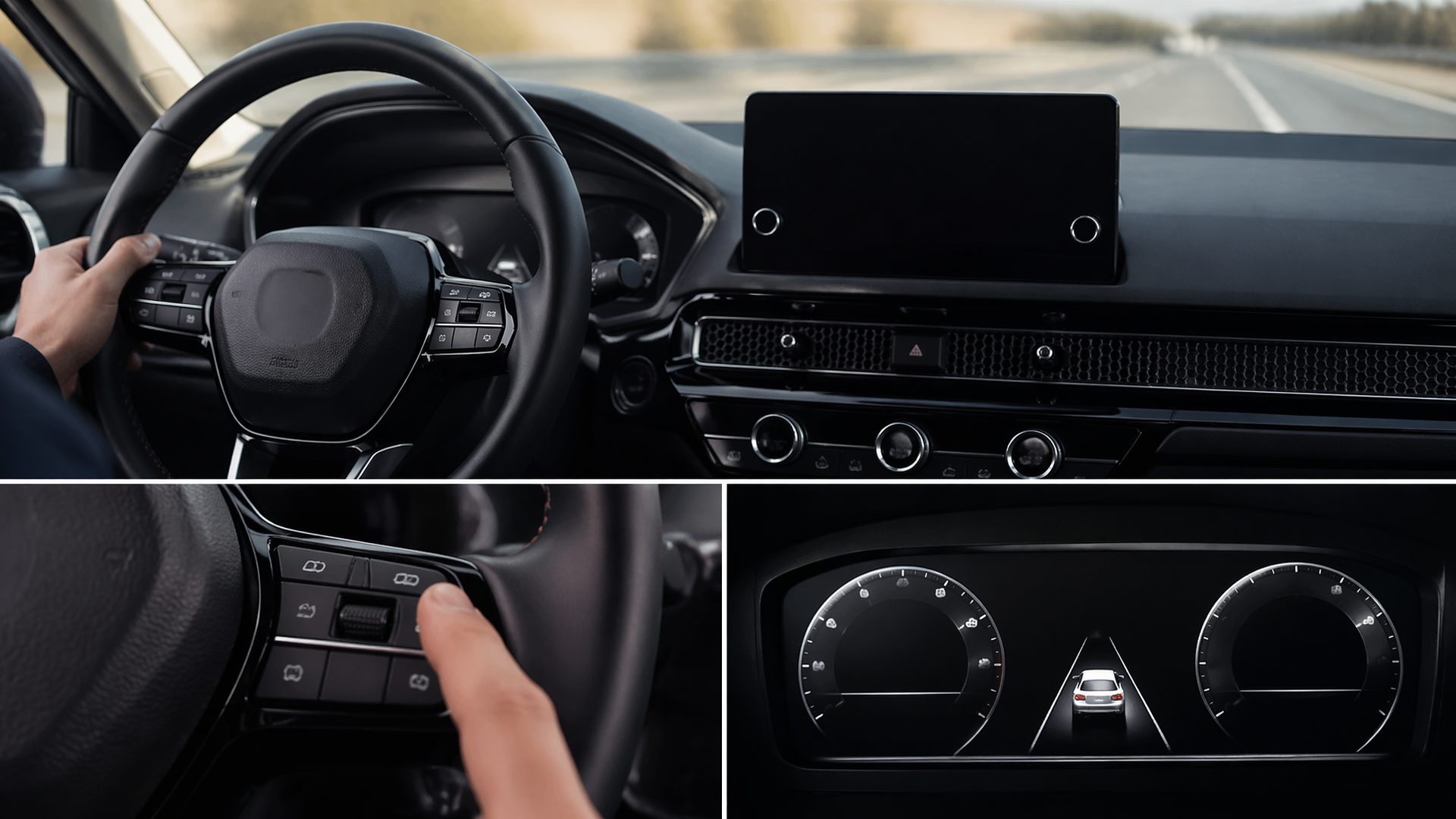
Disabling Lane Departure Warning on Your Honda: A How-To Guide
If your Honda’s Lane Departure Warning (LDW) system is proving to be more of a distraction than a help, you can typically disable it through your vehicle’s settings. This system is designed to alert you if you drift out of your lane without signaling, but for some drivers, its intervention can be too frequent or intrusive.
Step-by-Step: Turning Off Lane Departure Warning
The precise method for disabling or adjusting the Lane Departure Warning system can vary slightly depending on your Honda’s specific model and year. However, most vehicles follow a similar pattern, usually accessed via the infotainment system or a physical button.
1. Access Vehicle Settings: On models equipped with a touchscreen, navigate to the “Settings” or “Setup” menu, often identified by a gear icon.
2. Locate Driver Assistance Options: Within the main Settings menu, find the category related to “Vehicle,” “Driver Assist,” “Safety,” or sometimes “LaneWatch.”
3. Select LDW/LKAS: Look for the specific option labeled “Lane Departure Warning” (LDW) or “Lane Keeping Assist System” (LKAS).
4. Choose Your Setting: You will typically see options to turn the system “Off,” set it to “On,” or adjust its sensitivity and the volume of the alerts. Select “Off” to deactivate it entirely.
For Honda models that do not feature a large touchscreen, you will likely use buttons integrated into the steering wheel or dashboard. These buttons often allow you to cycle through various driver assistance modes, including an option to turn off LDW. Always refer to your owner’s manual for the exact button locations and operating instructions specific to your vehicle.
How to Check if Lane Departure Warning is Off
After you’ve adjusted the settings, it’s crucial to confirm that the Lane Departure Warning system is no longer active.
1. Observe Instrument Cluster Lights: Check your vehicle’s instrument cluster for any indicator lights associated with LDW or LKAS. If the system is successfully turned off, the corresponding indicator light should be extinguished. In some Honda models, it might illuminate to signify that the system is in an inactive state.
2. Conduct a Test Drive: On a safe, straight road with clearly marked lane lines, gently steer towards a lane line without activating your turn signal. If the LDW system is off, you should not receive any audible alerts or visual warnings on your dashboard or display.
What Happens After Restarting Your Honda
Generally, Honda’s Lane Departure Warning system is designed to remember your last-selected setting. If you turn the system off, it should remain deactivated when you restart your vehicle. Nonetheless, it’s a good practice to reconfirm the setting after a few drive cycles to ensure it consistently stays off.
If your Honda repeatedly reactivates the LDW system after each engine start, despite your attempts to disable it, this could indicate a software anomaly or a more significant electronic issue. In such scenarios, it is advisable to consult your owner’s manual for specific troubleshooting steps or contact a Honda dealership for professional diagnosis and repair.
Model Year and Trim Variations
While the general procedure for disabling the Lane Departure Warning system is quite similar across many Honda vehicles, minor differences can arise based on the specific model year and trim level. Newer models often incorporate more advanced driver-assistance suites with finer control options accessible through the infotainment touchscreen. Older models may rely more heavily on physical buttons or simpler display menus.
For example, a 2023 Honda CR-V might offer a more intuitive touchscreen interface for LDW adjustments, whereas a 2018 Honda Civic could require using a combination of steering wheel buttons and the driver information display. Always consult your vehicle’s owner’s manual for the most accurate and detailed instructions tailored to your specific Honda.
Potential Issues and When to Seek Professional Help
Occasionally, drivers may encounter situations where the Lane Departure Warning system appears to behave unexpectedly.
- Intermittent Re-activation: If the system turns itself back on after you have explicitly disabled it, and this occurs consistently across multiple vehicle restarts, it is a strong indicator of a software glitch or a fault within the system’s control module. This is a critical point where you should cease self-troubleshooting attempts and escalate to professional assistance.
- Failure to Disable: If you follow the deactivation steps precisely and the system remains active, there might be a specific trim-level limitation or an underlying electrical issue preventing the setting change.
If you have confirmed that the system is still active after following these steps, or if it reappears after you have deactivated it, it is recommended to stop further attempts to disable it yourself and consult your owner’s manual or a certified Honda technician. This suggests a potential problem that extends beyond simple user settings and requires professional diagnosis.
Frequently Asked Questions
Q: Can I permanently disable the Lane Departure Warning on my Honda?
A: For most Honda models, the Lane Departure Warning system can be set to “Off” and will retain that setting between vehicle restarts. This is a user-selected deactivation that can be reversed through the vehicle’s settings at any time.
Q: Will disabling the Lane Departure Warning affect other safety features?
A: Generally, turning off the Lane Departure Warning system will not impact other safety features such as adaptive cruise control or automatic emergency braking, as these systems are typically independent. However, it is always recommended to consult your owner’s manual to confirm any specific interdependencies for your vehicle.
Q: Is it safe to drive with Lane Departure Warning turned off?
A: The safety of driving with the Lane Departure Warning system off is subjective and depends on individual driving habits and comfort levels. The system is intended as a driver-assist feature. If you are a confident driver who consistently maintains lane discipline and uses turn signals appropriately, driving with the system off may be acceptable for your personal preference. However, many drivers find the system beneficial, particularly during extended drives or in situations where driver focus might be challenged.
Explore This Topic
- How To Turn On Lane Departure Warning In A Subaru
- How To Turn Off Lane Departure Warning In A Subaru

Greedy Wheels is the founder and lead editor at Wheels Greed. With over 15 years of hands-on automotive experience — from rebuilding engines in a home garage to managing fleet maintenance for a regional logistics company — he brings real-world mechanical knowledge to every guide.
His work has been featured in automotive forums, owner communities, and dealership training materials. When he’s not researching the latest car owner questions, you’ll find him at a local track day, wrenching on his project car, or testing the newest OBD2 diagnostic tools.
At Wheels Greed, every article is reviewed against manufacturer service manuals, NHTSA bulletins, and verified owner reports. No AI-generated fluff. No guesswork. Just practical answers from someone who has turned the wrench.