Subaru oil change light: how to reset it
The oil change light on a Subaru is a mileage-based reminder, not an oil quality sensor. Clearing it takes under two minutes once you know which method matches your model year. This guide covers the three reset procedures used in US-market Subarus from 2005 onward, so you can pick the right one and get back on the road without a dealer visit.
Before You Start: Conditions for a Successful Reset
Run through these checks before pressing any buttons. If any item fails, the reset won’t hold, and you’ll waste time repeating the sequence. These are the same checks Subaru technicians use before attempting a manual reset on the cluster.
| Check Item | Pass/Fail |
|---|---|
| Engine is completely off (key in LOCK/OFF position) | ☐ Pass |
| Oil and filter have already been changed — reset only after fresh oil is in | ☐ Pass |
| Parking brake is firmly engaged | ☐ Pass |
| Ignition is set to ON (Run position) but engine not started | ☐ Pass |
| Trip odometer display is showing (not a trip meter A/B screen if reset uses that) | ☐ Pass |
| Battery voltage reads above 12.2 volts (if you have a multimeter) | ☐ Pass |
If any item fails, correct it before proceeding. The electronic oil-life monitor in newer models will reject the reset if it detects the engine running or the transmission in gear. A weak battery is a common hidden blocker — the cluster simply ignores the button hold if voltage dips during the key-on sequence.
Which Reset Method Fits Your Subaru?
Subaru has used three distinct reset interfaces over the past two decades. The decision rule is simple: match your model year to the correct section below. Using the wrong method for your year will not clear the light and may leave you stuck in a menu loop.
Standard Push-Button Reset (2005–2014 Models)
This method applies to most Legacy, Outback, Forester, Impreza, and WRX/STI built before 2015, plus some early 2015s without the combination meter upgrade.
Step 1: Turn the ignition to ON (one click before start). The oil change light and other warning lights should illuminate briefly as a bulb check.
Step 2: Locate the trip odometer reset button on the lower-left corner of the instrument cluster. It’s a small black or silver button labeled “TRIP” or “RESET.”
Step 3: Press and hold the trip reset button. While holding it, turn the ignition switch to OFF, then back to ON again. Continue holding the button for about 10 seconds.
Step 4: Watch the oil change light. It should flash three times, then turn off. Release the button.
Success check: Turn the ignition OFF, then back to ON. The oil change light should stay off. If it returns, repeat the sequence more slowly — especially the OFF-ON timing. The transition needs to happen within about 2 seconds. A common mistake is pausing in the OFF position too long, which resets the timer.
Combination Meter Reset (2015–2019 Models)
Modern Subarus (2015–2019 Outback, Legacy, Forester, Impreza, Crosstrek) use a small multi-function display and steering-wheel buttons for maintenance resets. The exact screen labels vary slightly by trim level.
Step 1: With the ignition ON (engine off), press the “i” (info) button on the right side of the steering wheel until the maintenance screen appears. On some models, cycle through the display using the SET or ENTER button on the left spoke.
Step 2: Use the arrow up/down buttons to highlight “Oil Maintenance” or “Oil Change Due.” Press and hold the ENTER button for roughly 5 seconds.
Step 3: The screen will ask “Reset?” with a yes/no option. Select “Yes” (usually by pressing ENTER again). The light icon on the gauge cluster should go out.
Step 4: Return to the main trip display by pressing the “i” button again.
Success check: Turn ignition OFF, then back to ON. The oil change light should not illuminate. If it does, the menu path might differ slightly by trim — some Canadian-market units label it “Maintenance Schedule.” Try the same steps using the SET button instead of ENTER. Also check whether the car has a separate “Maintenance Schedule 2” submenu that needs resetting independently.
Infotainment-Based Reset (2020+ Models with Starlink)
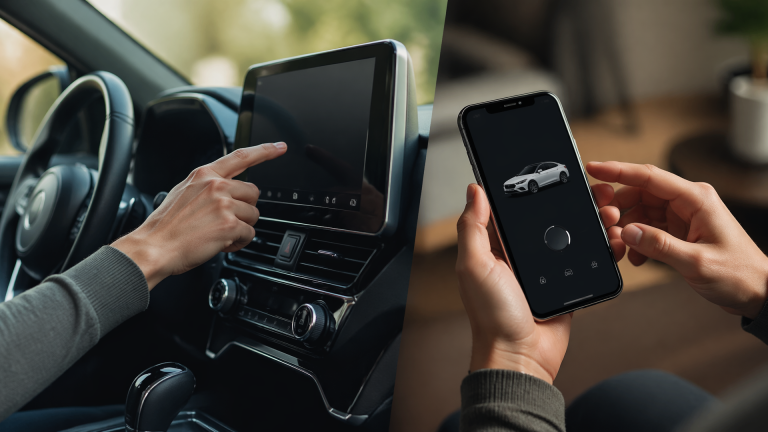
Most 2020 and later Outback, Legacy, Ascent, Forester, and Crosstrek models include Starlink touchscreen infotainment. The reset lives inside the vehicle settings menu.
Step 1: Start the engine or turn ignition to ON. From the home screen, tap Settings (gear icon).
Step 2: Select Vehicle (or Car on some system versions) → Maintenance.
Step 3: Tap Oil & Filter → Reset. A confirmation pop-up appears. Confirm “Reset.”
Step 4: The oil change light icon on the gauge cluster will immediately disappear. You may also see a “Maintenance reset successful” message on the screen. On early 2020 head units (firmware version 4.0.0–4.2.1), the reset sometimes fails to save. If that happens, try deleting the vehicle profile in Settings > System > Factory Reset (you will lose radio presets and paired phones), then repeat the procedure.
Success check: Turn the engine off, wait 10 seconds, then restart. The oil light should not come back. If it reappears, the infotainment system may need a software update — check for dealer bulletins or try a battery disconnect (negative terminal, 5 minutes) to clear volatile memory.
Where People Get Stuck: Common Reset Fails
- Wrong button sequence timing – On older push-button models, the OFF-ON transition must be quick (within 2 seconds). If you pause too long, the reset won’t register. Symptom: the light stays on solid with no flash. Cause: the ignition signal window closed before the button hold completed. Safer next move: start the sequence over, and this time turn the key from OFF to ON in one smooth motion without hesitating in between.
- Holding the wrong button – Some early 2010s Outbacks use a combination of the CLOCK button and trip knob. Check your owner’s manual if the standard trip-reset method doesn’t work. Holding the dash brightness knob or the audio volume button will do nothing.
- Oil life monitor not reset from infotainment – On 2020+ models, a factory software glitch can prevent the reset from saving through the touchscreen. Symptom: you confirm “Reset,” the message says successful, but the light returns on the next start. Cause: corrupted vehicle profile in the head unit. Deleting the vehicle profile and re-adding it (Settings → System → Factory Reset) often fixes this, but you’ll lose saved radio presets and paired phones.
- Battery voltage too low – If the car battery is weak (below about 12.2 volts), the instrument cluster may ignore the reset command. Symptom: the sequence seems to work, but the light returns after a short drive. Charge the battery or jump-start the car before trying again. A battery that old may need replacement.
- Aftermarket remote start interfering – If the car has an aftermarket remote start module, it can alter the ignition signal sequence. The module may hold the ignition line active even when the key is off, preventing the reset from registering. Try the reset with the engine fully off and the key physically inserted (no remote start). If it still fails, temporarily bypass the remote start module for the reset procedure.
How to Verify the Reset Worked
After performing the correct procedure for your model, do this quick test:
1. Turn the ignition OFF.
2. Wait 10 seconds.
3. Turn the ignition back to ON (don’t start the engine). The oil change light should not illuminate. If the car has a multi-function display, the “Oil Change Due” message should be replaced by the normal trip computer or remaining-mileage display.
If the light stays off, you’re done. If it comes back immediately, you either missed a step in the sequence or the car has a separate maintenance schedule that hasn’t been cleared (e.g., Subaru’s “Maintenance Schedule 2” for severe driving). In that case, repeat the reset procedure but look for a second menu item labeled “Maintenance Schedule Reset” or “Reset All.”
When the Light Won’t Clear: Stop and Escalate
If you’ve repeated the correct reset procedure three times and the light still returns on the next start, stop the DIY attempts and move to one of these next steps:
- Check for a stored software fault – A diagnostic scan tool may reveal a communication error between the instrument cluster and the engine control module. This is uncommon but can happen after a dead battery or a jump-start with reversed polarity.
- Visit a Subaru dealer – The dealer can force the reset through Subaru’s SSM (Subaru Select Monitor) diagnostic system. This takes about 15 minutes and typically costs around $30–$60 if you’re out of warranty. If the car is still under warranty, the reset should be free.
- Check for a Technical Service Bulletin – Subaru has issued TSBs for certain model years where the oil-life monitor logic has a bug (common on early 2020 Outback units). A dealer flash update resolves it permanently.
Do not ignore a persistent oil change light and assume it will go away on its own. While the light itself is just a reminder, if you or a previous owner skipped the actual oil change, driving with degraded oil can lead to cam carrier wear, timing chain strain, or — in severe cases — rod bearing failure on engines like the FB20 and FB25. If you’re unsure whether the oil was actually changed, check the dipstick for color and level before driving further.
Explore This Topic
- Back to repair
Related guides in this cluster:
- How to Reset the Oil Change Light on a Kia: Step-by-Step
- How to Reset the Oil Change Light on a Toyota: Step-by-Step
- How to Reset the Oil Change Light on a Honda: Step-by-Step

Greedy Wheels is the founder and lead editor at Wheels Greed. With over 15 years of hands-on automotive experience — from rebuilding engines in a home garage to managing fleet maintenance for a regional logistics company — he brings real-world mechanical knowledge to every guide.
His work has been featured in automotive forums, owner communities, and dealership training materials. When he’s not researching the latest car owner questions, you’ll find him at a local track day, wrenching on his project car, or testing the newest OBD2 diagnostic tools.
At Wheels Greed, every article is reviewed against manufacturer service manuals, NHTSA bulletins, and verified owner reports. No AI-generated fluff. No guesswork. Just practical answers from someone who has turned the wrench.