Ford Co-Pilot360: What Is Included, What Requires a Subscription, and How It Works
Ford Co-Pilot360 is a tiered suite of driver-assistance technologies bundled across most Ford models. The base package is standard equipment on nearly every Ford passenger vehicle sold in the U.S. and costs nothing beyond the purchase price. The subscription fees only apply to optional upgrades—specifically BlueCruise hands-free highway driving and connected navigation. Here’s exactly what you get at each tier, what starts costing you monthly after the trial ends, and how the hardware actually behaves on the road.
The Standard Package: What You Get for Free
The base Co-Pilot360 package is baked into the vehicle’s price. There is no trial period and no recurring fee. On most 2021–2025 models, this includes:
- Pre-Collision Assist with Automatic Emergency Braking (AEB): Detects vehicles and pedestrians and applies the brakes if you don’t react. Works at city speeds and includes forward collision warning.
- Blind Spot Information System (BLIS): Uses radar in the rear corners to warn you of vehicles in adjacent lanes. Includes cross-traffic alert, which warns when a car approaches while you’re reversing out of a parking spot.
- Lane-Keeping System: A camera reads lane markings. If you drift without signaling, the system gently steers you back toward the center of the lane.
- Auto High-Beam Headlamps: Automatically dips the high beams when oncoming traffic is detected.
- Rear View Camera: Standard on all trims, with dynamic guidelines on most models.
One detail most walkthroughs skip: the base package also includes rear parking sensors on many trims, but not all. On an F-150 XLT, rear sensors are standard; on a base Maverick XL, they are not. Always verify the window sticker for your specific trim rather than assuming the entire package is uniform across the lineup.
The Subscription Tiers: What Costs Money After the Trial
The subscription model applies to Ford’s Connected Services and the BlueCruise hands-free driving system. These are separate from the hardware you paid for at purchase.
BlueCruise (Hands-Free Highway Driving)
BlueCruise is the headline subscription feature. It allows true hands-free driving on pre-mapped divided highways—over 130,000 miles of roads in the U.S. and Canada. The system uses a driver-facing camera to confirm you’re looking at the road, plus radar and cameras to maintain speed, lane position, and following distance.
- Hardware requirement: You need a vehicle equipped with Co-Pilot360 Assist+ (which includes the necessary camera and radar hardware) or a model with BlueCruise listed as an option.
- Trial period: Ford includes a 90-day trial on vehicles equipped with the hardware. After that, you pay.
- Pricing (U.S.): As of 2025, a 3-year BlueCruise subscription is approximately $2,100, or $700 per year. A 1-year plan runs about $800. Ford occasionally bundles extended subscriptions into the purchase price on certain trims, so check your sales contract.
- What happens if you don’t pay: The hands-free feature deactivates. You still have the underlying adaptive cruise control and lane-centering, but you must keep your hands on the wheel. The hardware remains in the car, so you can subscribe later without a dealership visit.
Connected Built-In Navigation
Some navigation features require a connected services plan. Ford’s Connected Built-In Navigation uses live traffic data and cloud-based search. It comes with a trial period (typically 90 days to 1 year depending on the model), then requires a subscription through Ford’s Connected Services plan. Pricing varies, but expect roughly $10–$20 per month depending on the package.
Important distinction: If you use Apple CarPlay or Android Auto, you do not need Ford’s navigation subscription. The built-in navigation is only relevant if you want the native system to work without your phone.
FordPass App and Remote Start
The FordPass app—which allows remote start, lock/unlock, and vehicle status—is free for the life of the vehicle on most models. This is a common point of confusion. The app itself does not require a subscription. However, if your vehicle has a built-in modem, the cellular connection that powers the app is included for free for the first 10 years on most 2020+ models. After that, Ford may charge a connectivity fee, though this policy has shifted over the years and is not uniform across models.
How the System Actually Works
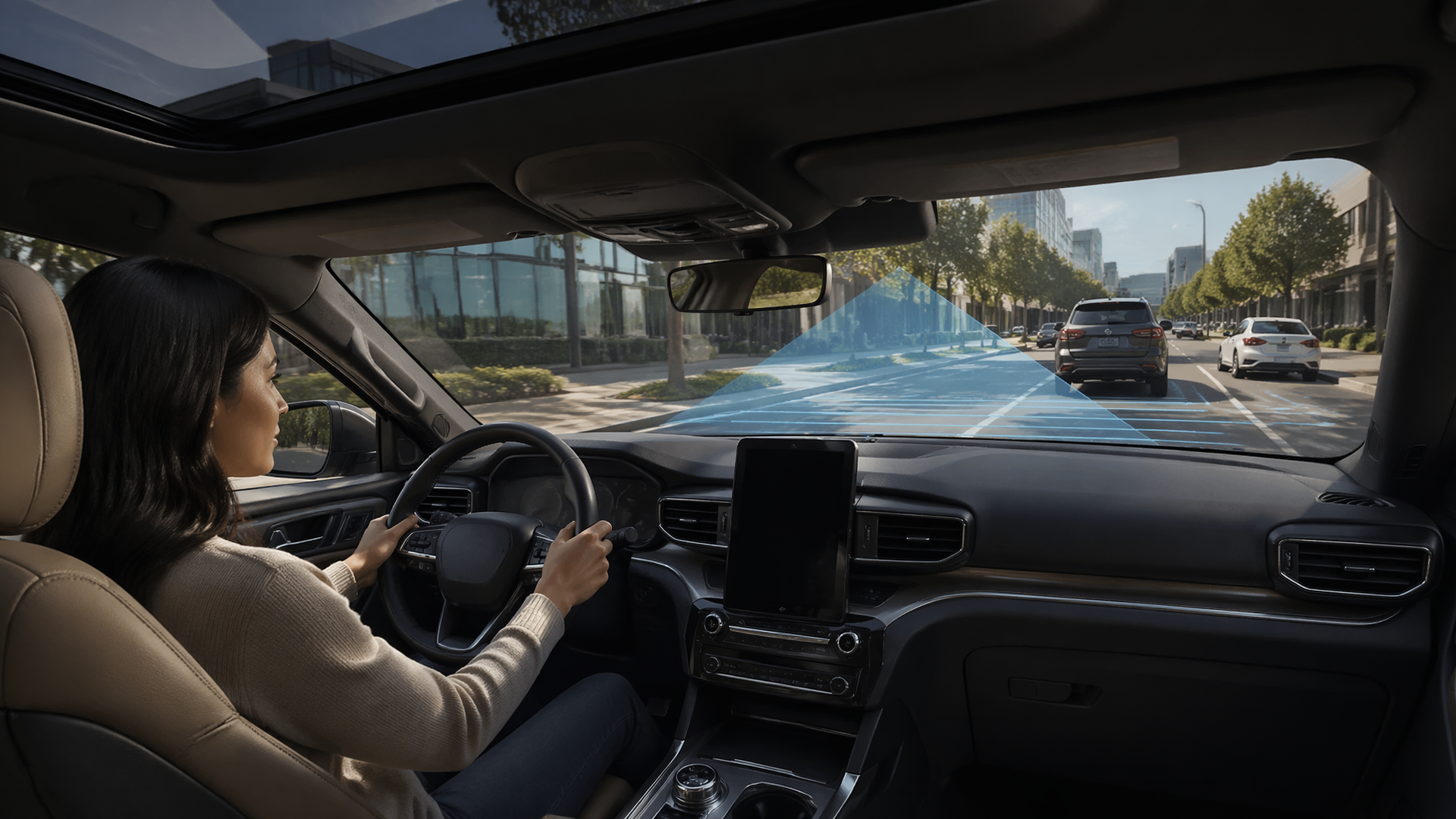
Co-Pilot360 relies on a fusion of sensors. The base package uses a forward-facing camera mounted behind the rearview mirror, radar units in the rear bumper corners, and ultrasonic sensors in the front and rear bumpers (if equipped). The Assist+ package adds a front radar unit behind the grille, which enables adaptive cruise control and the enhanced lane-centering.
What You Need Before You Start
- The vehicle’s owner’s manual (for your specific trim)
- A clean windshield and rear bumper
- A clear, dry road for initial testing
- The FordPass app set up (optional, but useful for checking your vehicle’s build)
Day-to-Day Operator Flow
Step 1: Check Your Vehicle’s Build
Look at the window sticker or the FordPass app. Look for “Co-Pilot360 Assist+” or “BlueCruise” specifically. If you only have the base package, you cannot add BlueCruise later—the hardware is different.
Step 2: Activate the Features
Lane-keeping is toggled via a button on the steering wheel (the icon looks like a car between two lane lines). It defaults to “Alert” mode; press the button to cycle to “Aid” (steering assist) or “Alert + Aid.” Adaptive cruise control (if equipped) is on the left side of the steering wheel. Set your speed, then adjust the following distance using the button with the car-and-bars icon. BlueCruise activates automatically when you engage adaptive cruise control on a mapped highway—a blue “hands-free” indicator appears in the instrument cluster.
Step 3: Know the Checkpoints
The system will disengage with a chime if you look away from the road for more than a few seconds (BlueCruise only). If you take your hands off the wheel with standard lane-centering (not BlueCruise), you’ll get a warning after about 10 seconds, then a louder alert, then the system disengages. In heavy rain, snow, or direct sun glare, the camera may lose lane markings. The system will warn you and disengage. This is not a malfunction—it’s a sensor limitation.
Step 4: Likely Causes of System Failure
- Dirty windshield: The camera is behind the rearview mirror. If the glass is dirty or fogged, you’ll get a “Camera Blocked” warning.
- Aftermarket windshield replacement: If you replace the windshield with a non-OEM unit, the camera may not recalibrate correctly. This is a known issue. After any windshield replacement, have the camera recalibrated—cost is typically $150–$400 at a dealer or a qualified independent shop.
- Mud or snow on rear bumper: The BLIS radar sensors are behind the rear bumper cover. Heavy mud or snow buildup can block them, triggering a warning.
Step 5: Escalation Signals — When to Stop DIY and Seek Help
If you see a red warning light with a message like “Pre-Collision Assist Not Available” or “Blind Spot System Fault,” the system has detected a hardware or calibration issue. Try cleaning the sensors first. If the message persists after cleaning, stop here—this is your escalation threshold. You’ll need a diagnostic scan, most likely an OBD2 code related to a radar misalignment or camera fault. This is not a DIY fix in most cases, as the sensors require specialized calibration tools. If your vehicle is under warranty, schedule a dealer visit. If it’s out of warranty, get a quote from an independent shop that has the proper scan tools (not all do—ask before booking).
Step 6: Success Check
You’ll know the system is working correctly when the lane-keeping icon shows a solid line on both sides of the car graphic, and the adaptive cruise control maintains a steady gap without constant braking. For BlueCruise, the steering wheel icon turns blue, and you can take your hands off the wheel.
The Counter-Intuitive Angle: The Hardware Is the Real Cost
Most articles focus on the subscription price, but the bigger financial decision is the hardware you buy upfront. Co-Pilot360 Assist+ is a $1,000–$2,000 option on most models, depending on trim and packaging. If you buy a used Ford without that package, you cannot retrofit it. The radar unit, wiring harness, and camera module are not plug-and-play; retrofitting would require replacing the windshield, bumper, and multiple control modules, and then dealer-level programming. The cost is prohibitive—often more than the option price was new.
This means the subscription question is secondary. The real question is whether you want the hardware at all. If you do, buy a trim that includes it. If you’re buying used, verify the VIN against Ford’s build data before you commit.
Expert Tips for Ford Co-Pilot360
Tip 1: Verify the VIN before buying used.
Use Ford’s official VIN decoder (or a service like the FordPass app) to confirm whether the vehicle has Co-Pilot360 Assist+ or just the base package. Many used listings incorrectly advertise “Co-Pilot360” without specifying the tier. The difference is roughly $1,500 in value and determines whether you can ever access BlueCruise. Mistake to avoid: Assuming that a “Technology Package” on a used listing includes the Assist+ hardware—it often only includes the base features plus a larger screen.
Tip 2: Plan the windshield replacement before it happens.
If your Ford needs a new windshield, specify that the camera must be recalibrated. Many independent glass shops will replace the glass and skip the calibration to save time, which leaves you with a “Camera Fault” warning and disabled lane-keeping. Mistake to avoid: Accepting a quote that doesn’t explicitly include camera recalibration. Ask for the calibration to be documented, and verify the lane-keeping works before you drive off.
Tip 3: Use the free trial strategically.
If you buy a new Ford with BlueCruise, the 90-day trial starts the day you take delivery. If you don’t do much highway driving in the first three months, you’re wasting the trial. Plan a road trip during that window to evaluate whether the feature is worth $700/year. Mistake to avoid: Letting the trial expire without testing it on a long, multi-hour highway stretch—short commutes don’t give you a real feel for how the system handles lane merges and construction zones.
Common Failure Cases and What They Mean
“Camera Blocked” Warning on a Clear Day
This is almost always a dirty windshield or a fogged interior. Wipe the glass. If the warning persists, the camera may have lost its calibration—often after a windshield replacement or a minor front-end collision. You’ll need a recalibration.
“Blind Spot System Fault”
The rear radar sensors are exposed to road salt, mud, and debris. Clean the rear bumper thoroughly. If the fault persists, a sensor may have failed. Replacement cost is typically $300–$600 per sensor plus labor, depending on the model.
BlueCruise Won’t Activate
Check that you’re on a mapped divided highway. BlueCruise does not work on rural two-lane roads or city streets. Also confirm that adaptive cruise control is engaged—BlueCruise cannot activate without it. If you’re on a mapped highway and it still won’t engage, check the driver-facing camera: if it’s blocked by a phone mount or sunglasses, the system won’t confirm your attention.
Lane-Keeping Pulls to One Side
This is often a tire pressure or alignment issue, not a sensor problem. The camera follows lane markings; if the vehicle drifts because of a mechanical issue, the system will fight it. Check tire pressures first, then have the alignment checked. If the issue persists, the camera may need recalibration.
FAQ
Is Ford Co-Pilot360 free?
The base Co-Pilot360 package is included in the vehicle’s purchase price with no subscription. BlueCruise hands-free driving and connected navigation require a subscription after the trial period ends.
How much is Ford Co-Pilot360 per month?
The base package costs nothing monthly. BlueCruise is approximately $700 per year (about $58/month) when billed annually, or $2,100 for three years. Connected navigation runs about $10–$20 per month.
Does Co-Pilot360 require a FordPass subscription?
No. The FordPass app is free for remote start, lock/unlock, and vehicle status. It does not require a paid subscription on most 2020+ models.
Can I add BlueCruise to my Ford later?
Only if your vehicle was built with the Co-Pilot360 Assist+ hardware. If you have the base package, the hardware is not present and cannot be retrofitted cost-effectively.
Is the BlueCruise subscription transferable if I sell the car?
Yes, the subscription stays with the vehicle, not the owner. If you sell a Ford with an active BlueCruise subscription, the new owner can use it for the remaining term.
What happens if I don’t renew BlueCruise?
The hands-free feature deactivates, but you keep adaptive cruise control and lane-centering (with hands on the wheel). The hardware remains installed, so you can resubscribe at any time without a dealership visit.
Does Co-Pilot360 work in the rain or snow?
Partially. The base safety features (AEB, blind-spot monitoring) generally work in poor weather. Camera-based features like lane-keeping and BlueCruise may disengage in heavy rain, snow, or fog because the camera cannot reliably read lane markings. This is a sensor limitation, not a defect.
Is Co-Pilot360 the same as Tesla Autopilot?
No. Co-Pilot360 is a driver-assistance suite that requires your attention at all times. The base package is Level 1 (single function automation), and BlueCruise is Level 2 (combined automation with hands-free capability on limited highways). Neither is a self-driving system.
Understanding what you’re paying for—and what you’re not—is the key to getting value from Co-Pilot360. The base safety features are genuinely useful and cost nothing extra. The subscription features are optional conveniences, not necessities. And the hardware decision is the one that matters most, because it’s the one you can’t change later.

Greedy Wheels is the founder and lead editor at Wheels Greed. With over 15 years of hands-on automotive experience — from rebuilding engines in a home garage to managing fleet maintenance for a regional logistics company — he brings real-world mechanical knowledge to every guide.
His work has been featured in automotive forums, owner communities, and dealership training materials. When he’s not researching the latest car owner questions, you’ll find him at a local track day, wrenching on his project car, or testing the newest OBD2 diagnostic tools.
At Wheels Greed, every article is reviewed against manufacturer service manuals, NHTSA bulletins, and verified owner reports. No AI-generated fluff. No guesswork. Just practical answers from someone who has turned the wrench.