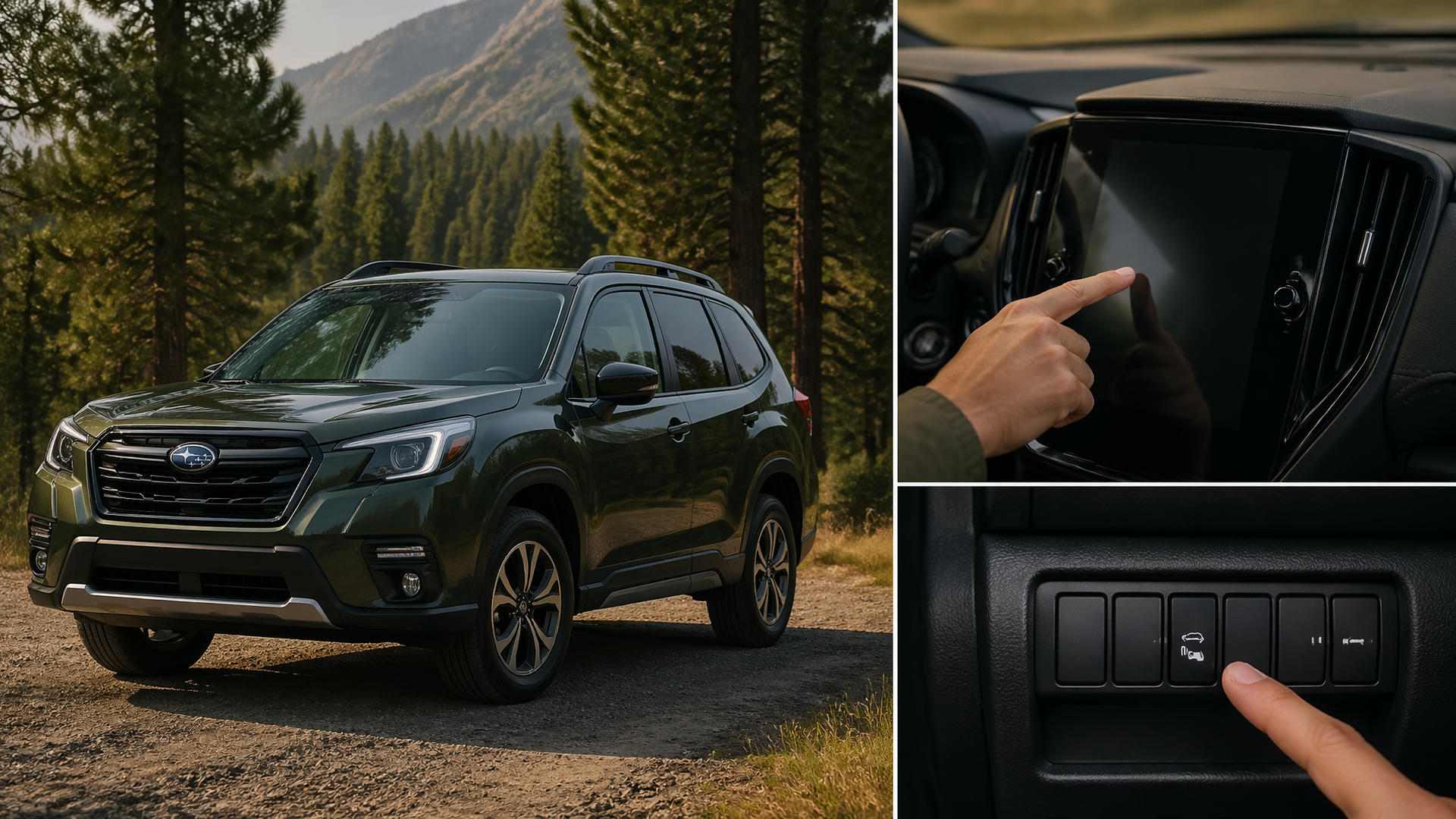
How to Turn On the RAB (Reverse Automatic Braking) Feature in a Subaru Forester
To activate the Reverse Automatic Braking (RAB) feature in your Subaru Forester, you will typically need to engage it through the vehicle’s infotainment system settings or by pressing a dedicated button, depending on your specific model year and trim level. This system is designed to automatically apply the brakes when backing up if it detects an imminent collision with an object.
Preparing to Activate RAB
Before you can turn on the Reverse Automatic Braking system, ensure your Forester is parked with the ignition switched on. The RAB system relies on sensors, usually located in the rear bumper, to detect obstacles. It’s crucial that these sensors are clean and free from any obstructions like mud, snow, ice, or heavy dirt, as a blocked sensor can prevent the system from functioning correctly.
Enabling Reverse Automatic Braking
The precise steps to activate RAB can differ slightly based on your Subaru Forester’s model year. Always refer to your vehicle’s owner’s manual for the most accurate instructions tailored to your car. However, the general procedure usually involves the following:
1. Access Vehicle Settings: On your infotainment touchscreen, navigate to the main settings menu.
2. Find Driver Assist or Safety Features: Within the settings, locate a section dedicated to driver assistance, advanced safety, or similar features.
3. Select Reverse Automatic Braking: Look for an option specifically labeled “Reverse Automatic Braking” or “RAB.”
4. Turn the Feature On: Choose the RAB option and toggle it to the “On” position. A confirmation message or an indicator on your dashboard or infotainment screen should appear.
Some Subaru Forester models may also have a physical button for RAB, often found on the dashboard to the left of the steering wheel or near the gear selector. If your vehicle has this button, pressing it should activate the system, and an indicator light will typically illuminate to confirm it is engaged.
Confirming RAB is Active
Once you have enabled the feature, look for a visual confirmation. This is commonly an indicator light on your dashboard, which might be an “RAB” icon or a symbol showing a car with a warning triangle, or a message displayed on the infotainment screen. When you shift into reverse, this indicator should be visible if the system is active and ready.
Common Issues Preventing RAB Activation
If you’ve followed the steps to turn on RAB, but it doesn’t seem to be active or doesn’t provide alerts, consider these potential reasons:
- Obscured Rear Sensors: Dirt, snow, ice, or even heavy mud can block the rear sensors, preventing the system from detecting obstacles accurately. This is the most frequent cause of RAB not functioning.
- System Not Fully Engaged: Double-check that RAB is definitively set to the “On” position in the vehicle’s settings or via the physical button. Sometimes a quick toggle off and on can re-establish the setting.
- Exceeding Speed Thresholds: RAB is designed for low-speed reversing. If you are backing up at a speed higher than the system’s operational limit, it may disengage or not activate.
- Specific Obstacle Types: While RAB is effective against many common hazards, it might not always detect very low objects, thin poles, or fast-moving targets.
- Other System Faults: If other vehicle safety systems are reporting errors, RAB may be temporarily disabled as a precaution.
What to Try If RAB Isn’t Working
If RAB is not functioning as expected after you’ve turned it on, start by thoroughly cleaning the rear sensors on your bumper. If this doesn’t resolve the issue, try turning the vehicle’s ignition completely off, waiting a few seconds, and then turning it back on. This simple reboot can sometimes reset electronic systems and clear temporary glitches. If RAB continues to be unresponsive after these steps, it is recommended to consult your owner’s manual for model-specific troubleshooting advice or contact a Subaru dealership for expert assistance.
When to Seek Professional Diagnosis
If you have performed the basic checks and RAB remains inactive, or if a warning light related to the system appears on your dashboard, it is advisable to seek professional help. Malfunctions in advanced safety systems should be addressed by a qualified technician to ensure they are repaired correctly and to maintain the full safety capabilities of your vehicle.
Explore This Topic

Greedy Wheels is the founder and lead editor at Wheels Greed. With over 15 years of hands-on automotive experience — from rebuilding engines in a home garage to managing fleet maintenance for a regional logistics company — he brings real-world mechanical knowledge to every guide.
His work has been featured in automotive forums, owner communities, and dealership training materials. When he’s not researching the latest car owner questions, you’ll find him at a local track day, wrenching on his project car, or testing the newest OBD2 diagnostic tools.
At Wheels Greed, every article is reviewed against manufacturer service manuals, NHTSA bulletins, and verified owner reports. No AI-generated fluff. No guesswork. Just practical answers from someone who has turned the wrench.