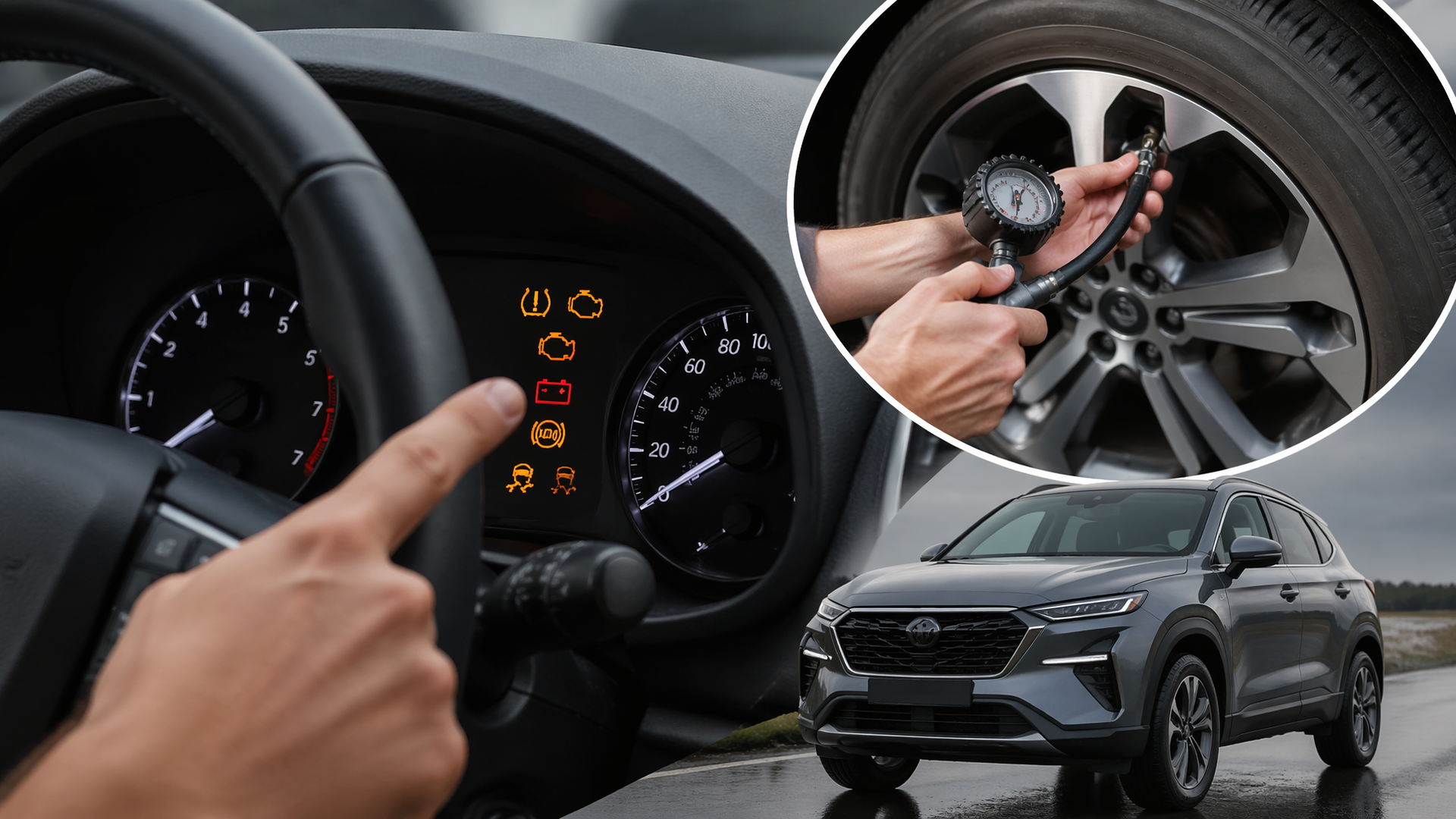
A complete guide to resetting your hyundai’s warning lights (tpms, check engine, etc.)
If a warning light has appeared on your Hyundai’s dashboard, you’re likely seeking a way to reset it. While some lights signal critical issues that require immediate professional attention, others, like a TPMS light that stays on after inflating tires, can often be reset by the owner. This guide focuses on common scenarios where a manual reset is possible and highlights when it’s crucial to consult a mechanic.
Deciphering Your Hyundai’s Warning Lights
Before attempting any reset, understanding the illuminated symbol is key. Different lights indicate distinct problems with varying levels of urgency. For example, the “Check Engine” light (an engine silhouette) can range from a loose gas cap to a serious catalytic converter issue. The TPMS light (an exclamation point in a tire outline) usually means low tire pressure but can also signal a faulty sensor. Lights for the brake system (“BRAKE” or a circle with an exclamation mark) or the airbag system demand immediate attention. Consult your Hyundai owner’s manual for detailed explanations of specific indicators.
Resetting Your Hyundai’s TPMS Light
The most common reason a TPMS light remains on after you’ve corrected low tire pressure is that the system needs recalibration.
Steps for TPMS Reset
1. Confirm Tire Pressure: Ensure all tires, including the spare if equipped, are inflated to the manufacturer’s recommended pressure, typically found on a sticker in the driver’s side doorjamb.
2. Drive the Vehicle: For many Hyundai models, driving for about 5 to 10 minutes at speeds over 20 mph allows the system to re-read tire pressures and automatically turn off the light.
3. Use the Reset Button (If Available): Some older Hyundai models have a dedicated TPMS reset button, often located under the dashboard near the steering column or in the glove compartment. With the ignition in the “ON” position (engine off), press and hold this button until the TPMS light flashes a few times. Then, turn the ignition off and back on.
4. Navigate Vehicle Settings (Newer Models): Many newer Hyundais allow TPMS resets via the infotainment system or driver information display. Look for “Vehicle Settings” or “Tire Pressure,” then select “Reset TPMS” or a similar option. Refer to your owner’s manual for the exact menu path for your specific model.
Confirming the TPMS Reset
After the reset procedure, drive your Hyundai for a few minutes. If the TPMS light stays off, the reset was successful. However, if the light reappears, it suggests a potential problem with a TPMS sensor or another system issue.
Resetting the “Check Engine” Light
Resetting the “Check Engine” light without addressing the underlying cause is generally not recommended, as the light will likely return. However, if you’ve identified and fixed the problem—such as tightening a loose gas cap—and the light persists, you can attempt a reset.
Common Causes and Quick Checks
- Loose Gas Cap: This is the most frequent and easiest-to-fix trigger. Remove the gas cap and re-tighten it firmly until it clicks multiple times. The light will often reset itself after a day or two of driving.
- Emissions System Issues: Problems with the catalytic converter, oxygen sensors, or mass airflow sensor commonly trigger the check engine light and typically require professional diagnosis.
- Engine Misfires: Issues with spark plugs or ignition coils can also illuminate the check engine light.
Attempting a Check Engine Light Reset
1. Ensure Gas Cap is Tight: Double-check that your gas cap is securely fastened.
2. Battery Disconnect Method: This is the most common DIY method to clear the Check Engine light.
- Safety First: Ensure the vehicle is turned off and the parking brake is engaged.
- Locate Battery: Open the hood and find the car battery.
- Disconnect Negative Terminal: Use an appropriate wrench (usually 10mm) to loosen the nut on the negative (-) battery terminal clamp. Carefully lift the clamp off the battery post. Avoid letting the wrench touch the positive (+) terminal simultaneously.
- Wait: Leave the negative terminal disconnected for at least 15 to 30 minutes. This allows the vehicle’s computer (ECU) to discharge and reset its memory.
- Reconnect Terminal: Reattach the negative terminal clamp securely to the battery post and tighten the nut firmly.
- Start Engine: Start your Hyundai. The Check Engine light should now be off.
Confirmation and Next Steps
After reconnecting the battery, start your Hyundai. If the Check Engine light stays off after a short drive, the issue may have been a temporary glitch or the loose gas cap. However, if the light reappears, it indicates a persistent problem that requires professional diagnosis by a qualified mechanic. Continuing to drive with a flashing check engine light, especially, can lead to severe and costly engine damage.
When to Seek Professional Help
Certain warning lights signal serious safety or mechanical concerns that a simple reset cannot resolve.
- Flashing Check Engine Light: A flashing light indicates a severe engine misfire that risks damaging your catalytic converter. Stop driving immediately and have your vehicle towed to a mechanic.
- Brake Warning Light: This light can signify low brake fluid, an issue with the Anti-lock Braking System (ABS), or a problem with the parking brake. Do not operate the vehicle if you suspect a brake system failure.
- Airbag Light: This light indicates a malfunction in the vehicle’s airbag system, a critical safety feature. It needs professional diagnosis and repair.
- Oil Pressure Light: If the oil pressure warning light illuminates, turn off the engine immediately. Driving without sufficient oil pressure can cause catastrophic engine damage.
- Persistent Lights After DIY Attempts: If you’ve tried the recommended reset procedures and the warning light remains on, or if you’re uncomfortable performing these steps, it’s time to consult your Hyundai dealer or a trusted independent mechanic. They have the specialized diagnostic equipment needed to accurately identify and repair the root cause of the warning light.
Explore This Topic

Greedy Wheels is the founder and lead editor at Wheels Greed. With over 15 years of hands-on automotive experience — from rebuilding engines in a home garage to managing fleet maintenance for a regional logistics company — he brings real-world mechanical knowledge to every guide.
His work has been featured in automotive forums, owner communities, and dealership training materials. When he’s not researching the latest car owner questions, you’ll find him at a local track day, wrenching on his project car, or testing the newest OBD2 diagnostic tools.
At Wheels Greed, every article is reviewed against manufacturer service manuals, NHTSA bulletins, and verified owner reports. No AI-generated fluff. No guesswork. Just practical answers from someone who has turned the wrench.