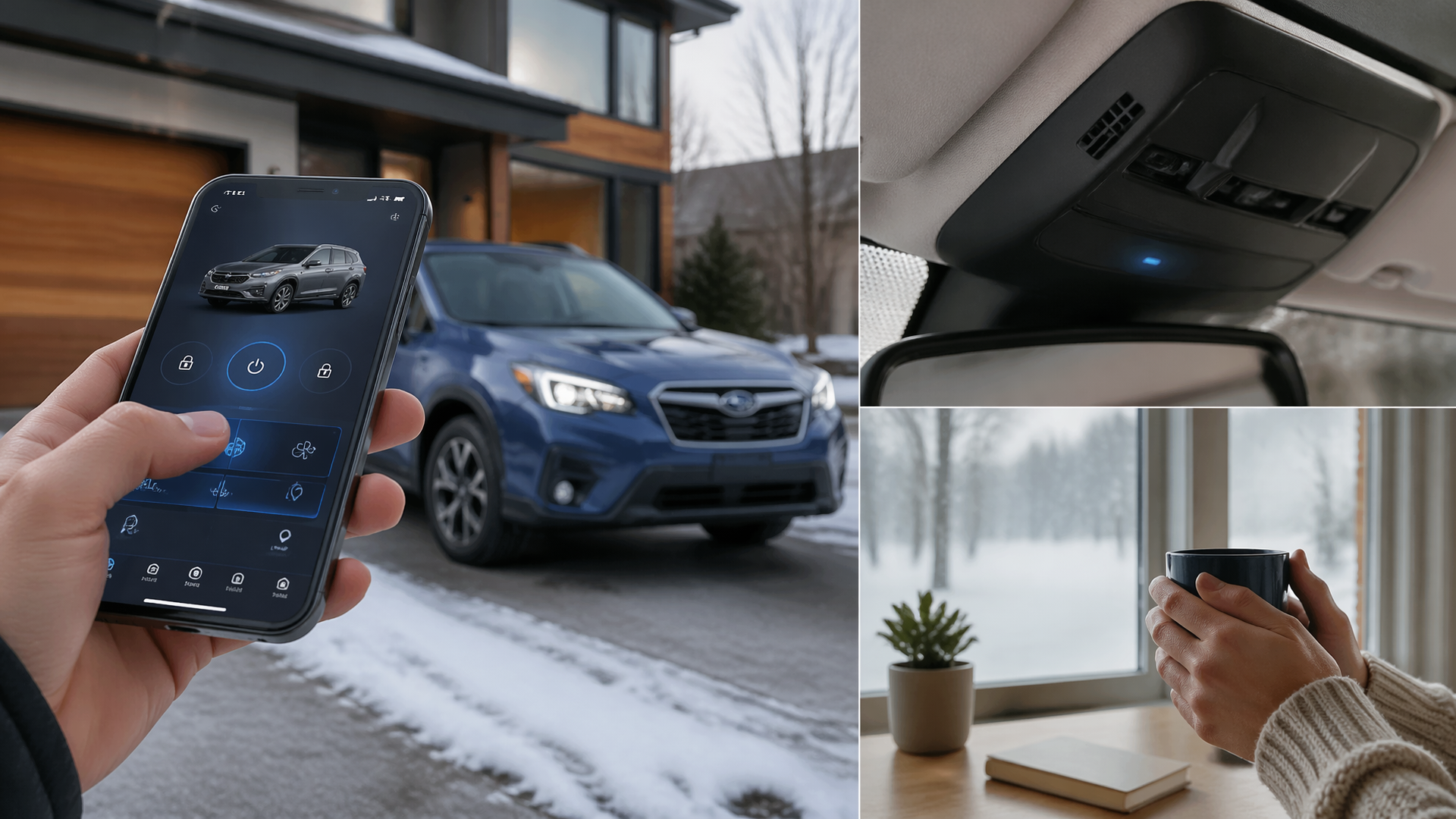
Can I Remotely Start My Subaru Using the MySubaru Smartphone App?
Yes, you can remotely start your Subaru using the MySubaru smartphone app, but only if your vehicle is equipped with the necessary STARLINK telematics hardware and you have an active subscription to a STARLINK Connected Services package that includes the Remote Engine Start feature. This capability is an optional convenience, not standard on all Subaru models, and requires both specific technology and a paid service plan to function.
Confirm Your Subaru’s Remote Start Capability
Before attempting to use the MySubaru app for remote start, it’s crucial to verify that your vehicle is compatible and your subscription is active. Remote Engine Start is typically bundled within STARLINK Connected Services, which often comes with an initial complimentary trial period before a paid subscription is required.
To determine if your Subaru is equipped for remote start:
- Review Your MySubaru Account: Log in to your MySubaru account on the official Subaru website. Navigate to your vehicle’s profile to see a list of available and active STARLINK services.
- Consult Vehicle Purchase Documents: Check your original window sticker or sales contract. These documents should detail any telematics or connected services that were included with your purchase.
- Contact Subaru Support: If you are unsure, provide your Vehicle Identification Number (VIN) to Subaru Customer Support. They can confirm your vehicle’s specific telematics equipment and the status of your STARLINK subscription.
Steps to Remotely Start Your Subaru via the MySubaru App
Once you’ve confirmed your Subaru’s compatibility and confirmed an active subscription that includes Remote Engine Start, follow these steps within the MySubaru app:
1. Launch the MySubaru App: Open the MySubaru application on your smartphone or tablet.
2. Sign In: Enter your MySubaru account username and password. If you haven’t set up an account or linked your vehicle, you will need to do so first.
3. Access Remote Functions: Locate and select the section within the app dedicated to remote vehicle operations, often labeled “Remote” or “Connected Services.”
4. Select “Remote Engine Start”: Tap on the specific icon or button for Remote Engine Start.
5. Authenticate Your Request: For security purposes, the app will prompt you for authentication. This typically involves entering a unique PIN associated with your MySubaru account or using your device’s biometric security (e.g., fingerprint or facial recognition).
6. Initiate the Start Command: Confirm your intention to start the engine. The app will then send the command to your Subaru.
7. Verify Command Success: The app will display a confirmation message indicating whether the remote start command was successfully received and executed by your vehicle. Typically, the engine will run for a set duration, such as 10-15 minutes, before automatically shutting off unless you extend the runtime or enter the vehicle.
Common Reasons for Remote Start Failure
If you encounter issues where your Subaru cannot be remotely started, consider these frequent causes:
- Subscription Status: The STARLINK Connected Services subscription, which is essential for remote start, may have expired, lapsed, or is not currently active. Always verify your subscription status first.
- Vehicle Equipment: Not all Subaru models, particularly base trims or older model years, are equipped with the necessary telematics hardware to support remote engine start functionality.
- Connectivity Issues: Temporary disruptions in your smartphone’s internet connection or the vehicle’s onboard cellular connectivity can prevent the remote start command from reaching or being processed by the vehicle.
- Safety System Interlocks: The remote start system is designed with safety interlocks that will prevent operation under certain conditions. These include an unlatched hood, an open door, or any active dashboard warning lights indicating a critical system fault.
- Incorrect Account Linking: Ensure that your MySubaru app account is correctly associated with your vehicle’s specific VIN. An incorrect link can result in commands not being directed to your car.
Troubleshooting Remote Start Problems
If the remote start feature is not functioning as expected, try the following troubleshooting steps:
- Confirm Subscription: Log into your MySubaru account online and confirm that your STARLINK Connected Services subscription is active and explicitly includes the Remote Engine Start feature.
- Check Vehicle State: Verify that all vehicle doors are securely closed and latched, the hood is properly shut, and no illuminated warning lights on the dashboard indicate a system that would disable remote start.
- Restart App and Device: Try restarting your smartphone and then force-closing the MySubaru app before reopening it to refresh its connection and state.
- Update MySubaru App: Ensure you are using the latest version of the MySubaru app, as updates often contain crucial bug fixes and performance improvements that can resolve connectivity issues.
If these steps do not resolve the problem, it is recommended to contact Subaru STARLINK customer support. They possess the tools to diagnose your account and the vehicle’s telematics system to identify the root cause and can advise on further actions, which may include scheduling a service appointment if a hardware issue is suspected.
Explore This Topic
- Can I Start My Subaru Using My Smartphone App
- Can I Start My Subaru Using The Mysubaru Phone App
- Why Wont My Subaru Start

Greedy Wheels is the founder and lead editor at Wheels Greed. With over 15 years of hands-on automotive experience — from rebuilding engines in a home garage to managing fleet maintenance for a regional logistics company — he brings real-world mechanical knowledge to every guide.
His work has been featured in automotive forums, owner communities, and dealership training materials. When he’s not researching the latest car owner questions, you’ll find him at a local track day, wrenching on his project car, or testing the newest OBD2 diagnostic tools.
At Wheels Greed, every article is reviewed against manufacturer service manuals, NHTSA bulletins, and verified owner reports. No AI-generated fluff. No guesswork. Just practical answers from someone who has turned the wrench.